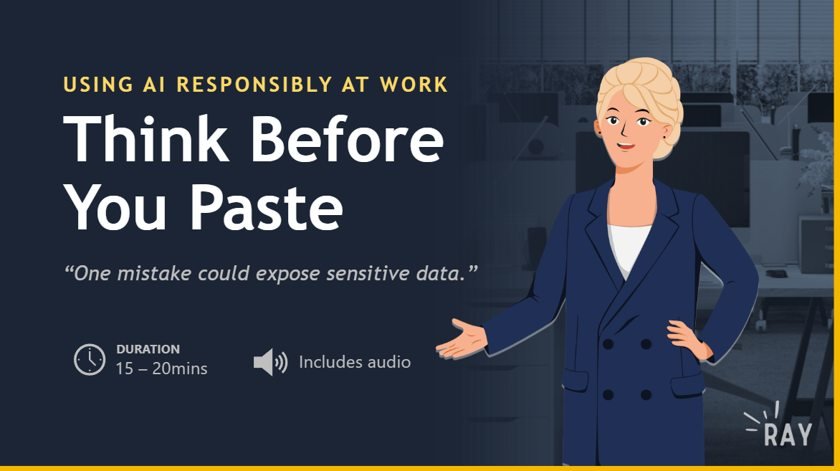
Translating broad responsible-AI guidance into a practical, scenario-based learning experience for everyday employees, within a strict 15-minute, 20-slide constraint.
Turn broad responsible-AI standards into practical guidance for everyday employees, in a 15-minute, 20-slide course with no SME.
What I did
Created the Pause → Minimize → Generate → Review framework and built gamified, scenario-based activities with feedback on every choice.
The result
A complete interactive iSpring course that judges praised for its voiceover sync, visual hierarchy, and navigation.
01
The Situation
The project was developed as an entry for an iSpring course contest. Having participated in an iSpring contest before, I joined again to apply and evaluate what I had developed after roughly a year of working as an Instructional Designer.
The contest required a short course within specific technical constraints, including limits on duration and slide count. Participants worked independently and chose their own topic and format.
There was no SME assigned, so I independently reviewed the contest-provided materials and Microsoft’s Responsible AI Standard, supplemented by IBM’s AI Ethics Framework. Rather than reproduce the standards as course content, I used them as the foundation for translating responsible-AI principles into practical workplace behaviors.
02
The Problem
The challenge was not simply to explain responsible AI. The reference materials contained broad standards and principles, while the intended learner was an employee who might use AI at work but would not necessarily be an AI expert.
The instructional problem
How can broad responsible-AI principles be translated into a short learning experience that helps employees make better decisions when using AI in everyday workplace tasks?
Rather than spend the limited learning time explaining each standard, I focused on the information employees need to apply those principles in practice.
03
The Audience
Target learners: Employees who use AI in their work but are not necessarily AI experts.
What learners needed to do
Recognize sensitive information that should be removed before using AI.
Apply a structured process when approaching an AI task.
Create more effective prompts.
Evaluate AI-generated responses.
Identify potential problems before using AI-generated content.
Design assumptions: learners have competing work responsibilities, need to understand why responsible AI matters to their work, benefit from practical examples, and have varying familiarity with AI tools.
04
My Role
I owned the project end to end, from analyzing the reference materials to building, testing, and refining the final course.
AI supported the initial drafting of learning objectives; each objective was evaluated against the learning problem and contest constraints before being used.
05
My Approach
01
Analyze the content: contest materials, Microsoft’s Responsible AI Standard, and IBM’s AI Ethics Framework.
02
Define the learner problem around employees who use AI but aren’t AI experts.
03
Translate principles into behaviors: what should employees actually do?
04
Develop objectives and evaluate them against the problem and constraints.
05
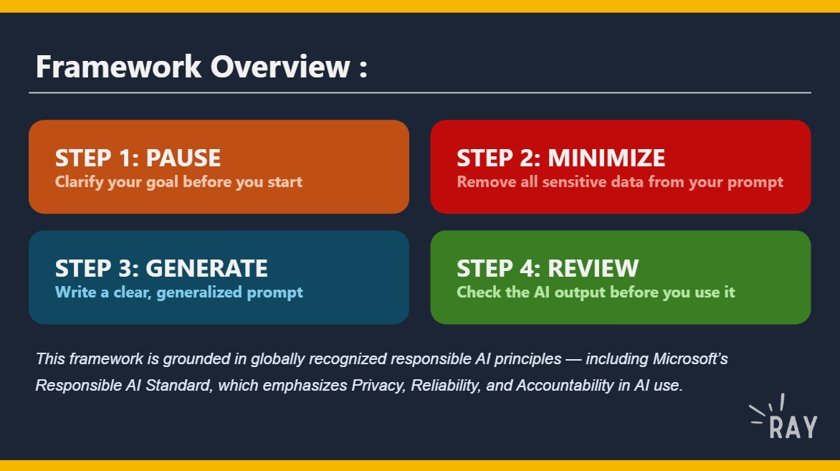
Create the Pause → Minimize → Generate → Review framework, aligned to the reference materials.
06
Translate the framework into scenario-based activities.
07
Introduce progressive unlocking so each stage opens after the previous activity is completed.
08
Add feedback for correct and incorrect responses, then develop and refine the final course.
The framework
Pause → Minimize → Generate → Review. The four-stage framework, grounded in Microsoft’s Responsible AI Standard.
Recognize at least three types of sensitive data that must be removed before using an AI tool at work.
Apply the Pause → Minimize → Generate → Review framework to a real workplace AI task.
Evaluate an AI-generated response and identify at least two red flags that require revision.
Demonstrate responsible AI use by completing a multi-step workplace scenario without exposing sensitive data.
06
Design Decisions
Translate standards into behaviors
What I chose: Focus on what employees need to do rather than explaining every standard individually.
Why: The source was broad principles; the learner needed practical guidance usable in everyday work and limited course time.
Create a four-stage framework
What I chose: Develop Pause → Minimize → Generate → Review, aligned to the reference materials.
Why: The standards provided principles, but learners needed a simpler process to use when approaching an AI task.
Use scenario-based decision-making
What I chose: Workplace scenarios with multiple-choice decision points instead of recall.
Why: The goal was responsible behavior, so learners needed to make decisions in context.
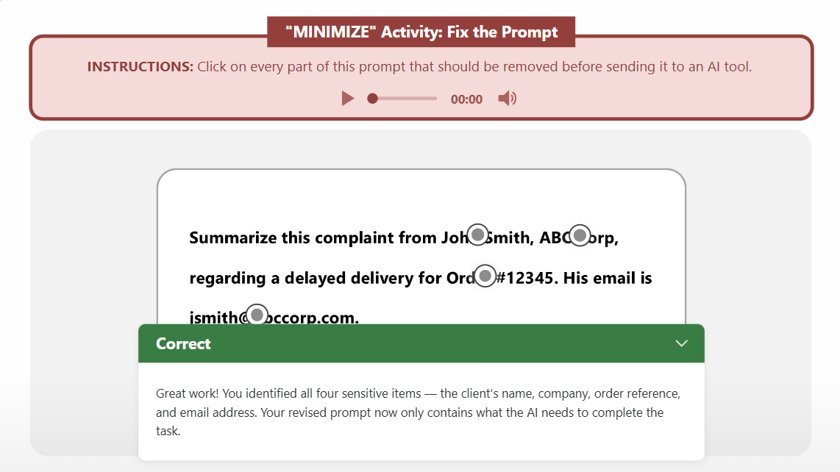
Hotspots for sensitive data
What I chose: A chatbot-style prompt where learners select the sensitive information.
Why: It made the risk concrete and let learners compare their answer with a corrected prompt.
Progressive unlocking
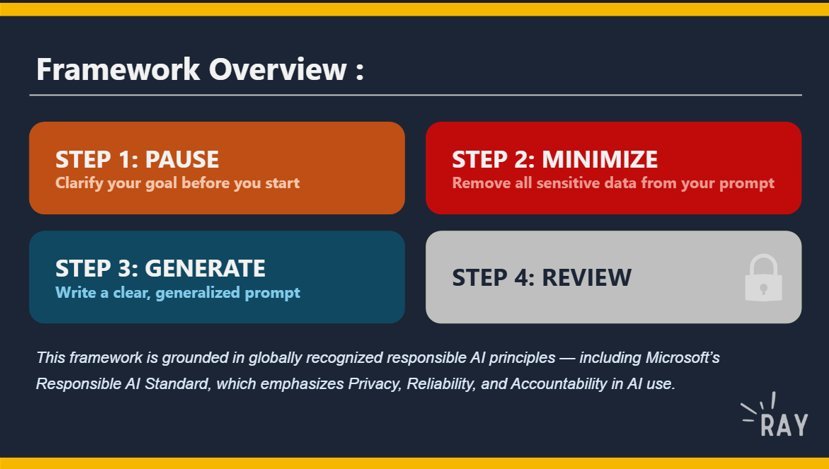
What I chose: Lock all four stages initially, unlocking each after the preceding activity.
Why: It reinforced the framework and created a sense of progression. The gamification emerged during development, not as the starting concept.
Feedback on every answer
What I chose: Feedback whether the learner chose correctly or not.
Why: Decision-making activities need guidance on the reasoning behind the appropriate response.
Decisions in practice
Hotspot interaction. Learners click every piece of sensitive data in a realistic prompt, then compare their answer with the feedback.
Progressive unlocking. Each stage stays locked until the learner completes the activity before it.
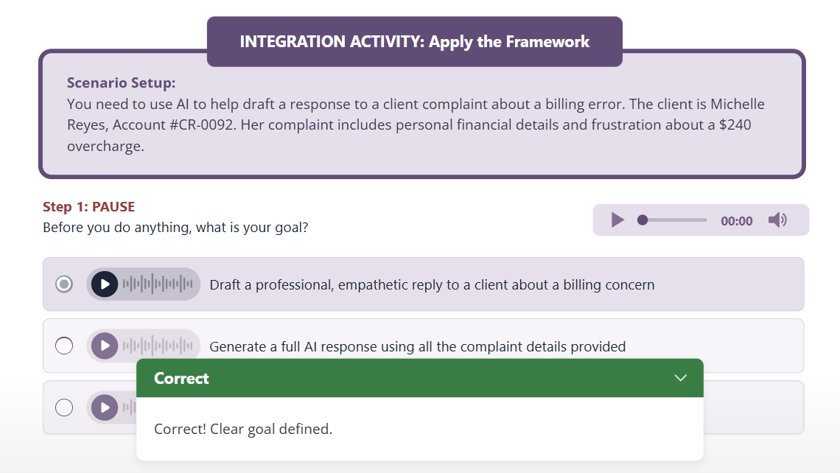
Scenario decisions with feedback. In the integration activity, learners apply the framework to a client complaint and get feedback on every choice.
07
Outcome
The project resulted in a completed interactive eLearning course that translated responsible-AI principles into practical workplace behaviors. It combined a four-stage framework, scenario-based decisions, sensitive-data identification, feedback, and progressive interaction, all within the contest’s technical constraints.
The course received a certificate of participation from iSpring (no numerical score or ranking was provided). External judges gave the following feedback:
What worked
Voiceover and animation synchronization
Visual hierarchy and contrast
Navigation
Background music supporting learning rhythm
What could improve
Visual cohesion and color palette
Color accessibility
Quiz construction
Player controls
Table of Contents usability
“The course feels alive and well thought through.”
iSpring Course Creation Contest Judge
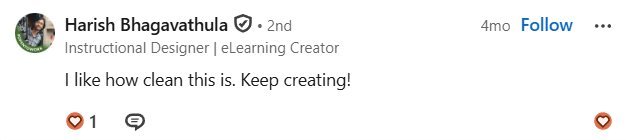
Feedback from LinkedIn on the course.
08
Reflection
What worked
Translating broad responsible-AI guidance into a framework learners could use. The four stages gave the course a clear progression, and scenarios let learners make decisions rather than recall facts.
What I learned
Engagement mechanics matter most when they reinforce the instructional structure. The gamified progression came after the framework was set, which made it more deliberate.
What I'd change
Improve visual cohesion and color accessibility.
Strengthen quiz construction.
Tidy player controls and Table of Contents labels.